micke-midlife on January 21st, 2009

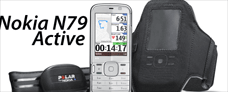
Part IV: Finally, we take the Nokia N79 Active out for a spin. As earlier mentioned, once the heart rate belt is paired with the N79 (it’s Bluetooth), the Sports Tracker application finds it right away as soon as it is opened. In the gallery below is one pic on the pairing wizard that you use once for the initial set-up.

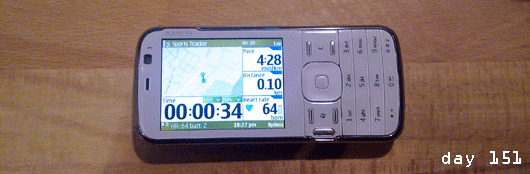
For the screen to be somehow visible during the run, the device is attached to your upper arm, it makes sense to select the “switch orientation” menu option to turn the display around by 90 degrees. Yes, of course, the orientation sensor of the device does it automatically as well, but I can tell you, this is not a helpful feature on a swinging arm.

Otherwise it’s attaching the headset properly to your clothing, you don’t want the cable flying around your neck with every step, switching on the music in the music player, and off you go. The music is conveniently controlled from the headset, there’s are the standard buttons for play, pause, stop, next, previous, volume, take call/end call.

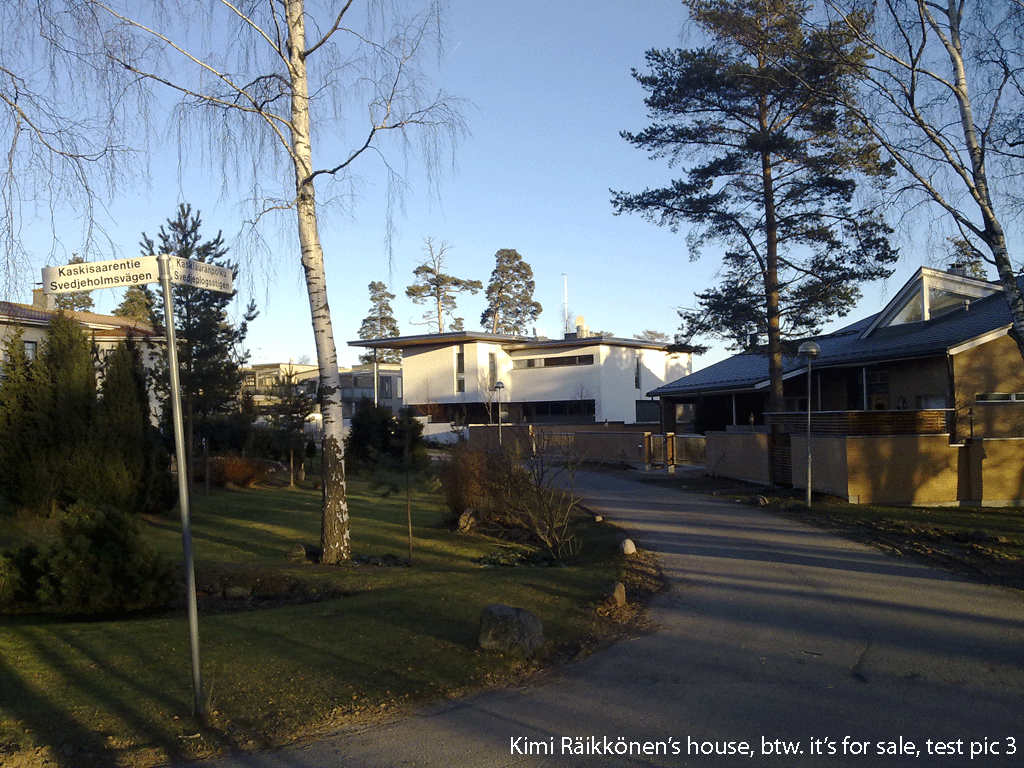
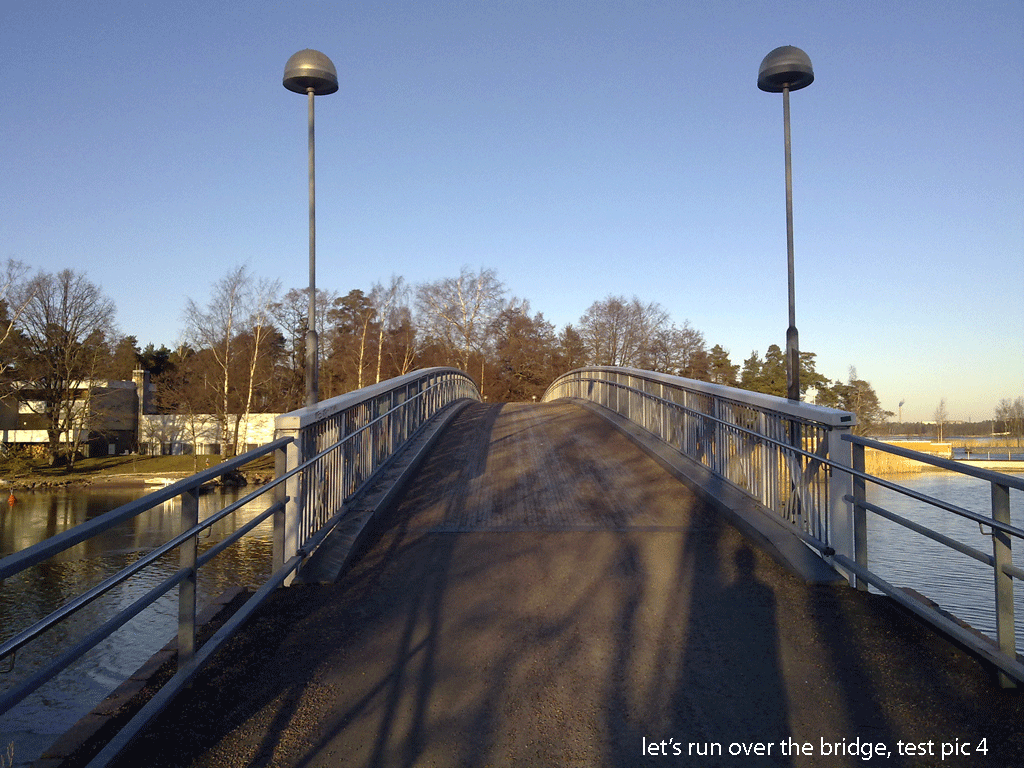
Taking pictures, while on the run/walk/bike/skis works this way, that you pull the N79 out of the armband (again, we hope that it will loosen up over time, it’s really tight when new) and flip open the lens cover at the back of the dive. The camera app opens up automatically and the device is ready for putting some really nice picture postcards on the 4GB memory card (see the test pics below). The pictures are now geo tagged so th at they can be placed on the running map in the service later on. Closing the lens, closes the camera app and the Sports Tracker is visible again. All hardware, no software buttons or menus, works very well when running and when wearing gloves. Putting the device back into the armband, well you learn it after a while not to accidentially switch off the device. The on/off button is at the top as well.

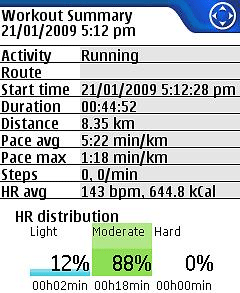
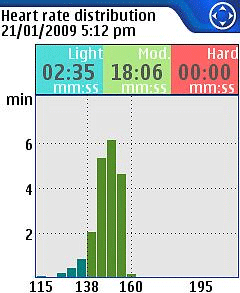
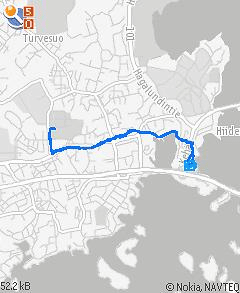
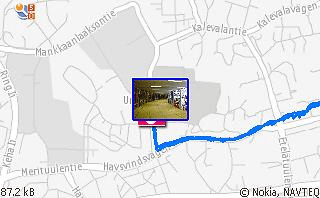
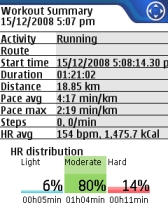
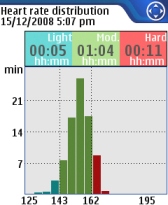
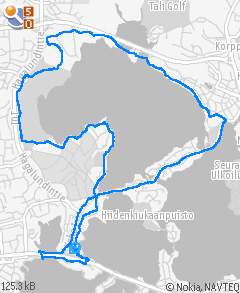
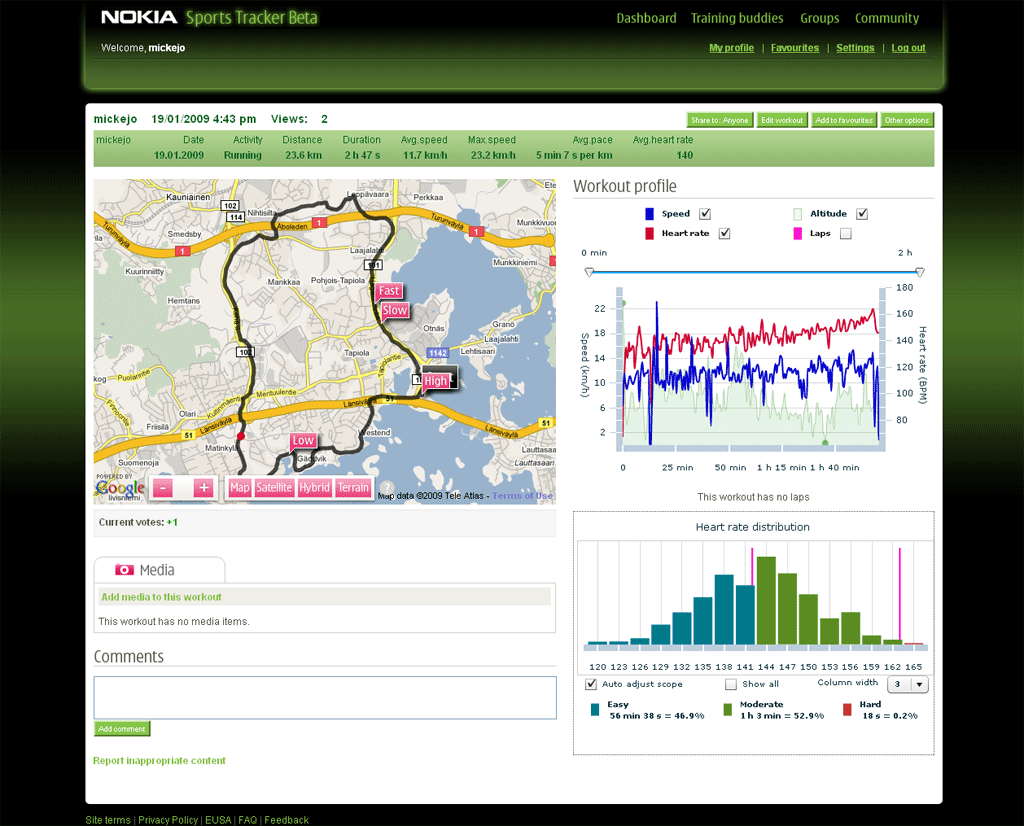
After the workout, when pressing “stop” - this function is in the option menu, not so good, should be assigned to one of the softkey buttons, perhaps in a combination with “pause”, still room for improvements in later versions for Nokia here - you get a work summary on the screen. That’s neat, but the real interesting parts are in the training diary. Opening up a workout from this calendar based view shows a workout summary, a map view of your run with the taken pictures on it, and a more detailed heart rate distribution. The neat thing, you can send those screenshots to a friend over MMS or post them on OVI Share or Flickr. Of course you want to pick your best workout and show off in front of your buddies. There are a range of more geek options as well (Export to Google Earth, as GPX data, bla bla bla), but find out for yourself.

Uploading to the Sports Tracker service works fine as well. A bit many dialogs, could be simplified, especially for those of us with a data flat rate it’s a couple of confirmation clicks too many. Btw. the upload works through both cellular and WiFi. No desktop needed, good news for th eoften neglected Mac users. Workout and media data gets to the server and can be seen in a moment later on the web interface under http://sportstracker.nokia.com/index.html
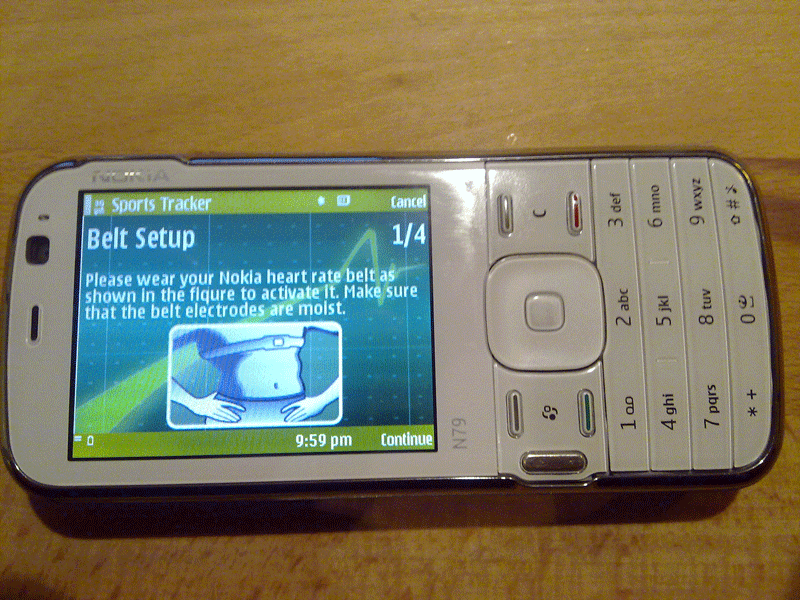
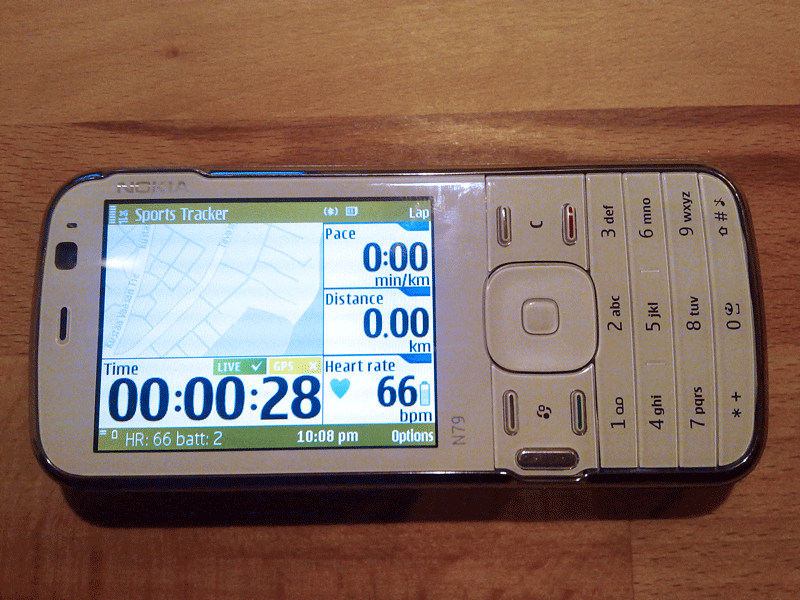
This much on the Nokia N79 Active test drive.

Part I: the nokia n79 active, a runner’s companion

Part II: nokia n79 active, out of the box

Part III: nokia n79 active, experiences of the nokia running man

Part 3.5: nokia n79 active and polar s625x, becoming a humanoid

Part V: Nokia N79 Active vs. Polar, Suunto, Garmin, Nike+ and Samsung miCoach

Tags: , ,

25 Responses to “Nokia N79 Active, out for a test drive”

  1. Wonderfully insightful preview. I was sold before I discovered your blog. Now I need to process my patience for Stockholm availability. BTW-The captured media quality is as rich as I’ve seen. Thanks.

  2. Well done preview! And very good preview pictures. It seems as if the N79 Active could be one of the few special editions that really make sense.

  3. A couple questions, Micke: Do you have any knowledge of cross-interference testing with multiple users in close proximity with this Polar HR transmitter? Is the belt’s BT radio simply capturing and re-broadcasting the familiar Polar RF?

  4. Hello Micke! Nice site and nice project you have. I have used Nokia Sports Tracker on my N78, but this N79 packet looks tempting. How long does the Bluetooth belt work with one charge (I suppose you can/need to charge it?), and does using the Bluetooth belt cut the operating time of N79? I’d be most interested in SportsTracking ultra long runs for up to 36 hours, but I guess it’ll take a couple more years until we have such GPS, Wibree, battery etc technology available!

  5. This is all very nice. What I’m thinking, though, is:

    How will it handle heavy rain, snow and the like? Sometimes running gets tough. Polar’s HRMs can handle all kinds of weather. Can the typical Nokia phone?

    Other than that I don’t like the idea of tossing around my lifeline–my phone–like I would my simple, sturdy Polar RS100.

    A smart phone is basically as sophisticated (and vulerable, and almost as expensive) as a laptop computer. The same can be said about the data on the device. My current phone holds a lot of personal, more or less confidential information. I’m not sure that goes well with physical exercise.

    I look after my laptop because of the data, and because it’s an expensive piece of hardware, I don’t take it running. I’m not sure I would take my phone running.

    BTW. Thanks for using capital letters. That’s a lot better :-)

  6. @ djh.sthlm
    there shouldn’t be any interference with multiple users, because it’s a Bluetooth connection. You pair the belt as if it would be any other Bluetooth device, this way you get a dedicated (encoded) connection. The same way you don’t have any interference when sending data to/from your PC or other mobile device. You want to make sure when doing the initial pairing that you don’t have many more belts around.

    Don’t know the technical details of the belt, but roughly I think it uses the Polar signal that it gets from the belts sensor areas and puts it into BT protocol and baseband frequency (2.4 GHz). This belt doesn’t work with a Polar watch, so there’s no Polar RF transmitted.

    @corner
    How long the battery in the belt lasts is a bit of a question mark for me as well. I’ve used it so far for 400km and the SportsTracker says it’s still quite full. But I could image that Bluetooth is draining it more than the original (and probably energy optimized) Polar RF. You can’t charge the belt in it’s current form. I had a close-up picture of the back of the transmitter here: http://www.400days.net/?p=783
    The N79 operating times are not much impacted by the BT connection. The general energy use of such a device is mainly impacted by 1) the WLAN interface, 2) the display back light, 3) the processor use, 4) the 3G radio 5) the GPS radio. So in your Sports use-case I’d recommend to not leave the back light on, see to it that the WLAN is off, switch to 2G during the run (from the default dual mode) and pray that the GPS doesn’t alone totally drain the battery ;-)

    @Andreas
    I appreciate your cautiousness, I would also handle my mobile device with care for the exact same reasons, it’s so personal to me and has really important stuff on it. Fortunatly, a handset sturdyness wise built differently than a laptop and goes through a whole different set of tests. I’ve seen a couple of drop test videos a couple of years back, those are really cruel, from 3 m height onto a concrete platform. In slow motions the communicator was bending itself and squeeking that it hurt my ears (and eyes)…
    Anyway, in the runs I had my mobile with me, I had rain, heavy rain and also freezing temperatures of up to minus 10 or 11 degrees celsius. The handset survived those without impact. The armband bags are made quite well. But I agree, a sports mobile device could also have a bit more weather resistent covers.

  7. The photo of that bridge sure looks awfully familiar…

    Surely, the reason can’t be that we have overlapping training routes - can it? :-)

    http://sportstracker.nokia.com.....?id=390999

  8. @ Karl (aka the hunter)
    I’m impressed! you can make 21.4km out of trip home from work that on it’s direct route would be just above 7k or so. Runners are masochists. Your speed diagram looks interesting, quite smooth, was that something like average speed over a certain distance/time? With above 14km/h you keep a high pace here.

  9. Actually, it was a run TO work (see the departure time). The 14km/h is some Sportstracker/N95 anomaly or bug, not at all representative of my average pace, which was 11.4 km/h.
    The speed diagram does indeed look strange - the first ten minutes are almost crawling pace. Must’ve been some bug.

    Anyways, really interested if that bluetooth belt becomes available as a stand-alone product. I have regularly taken my N95 on my runs and would love to integrate the heart rate function with it. Currently using separately a Polar HRM for logging.

  10. My experince is from 4 months of walking, running, bicycling, cross country skiing. It is fun when it works. Yes nearly fantastic. Start the sportstracker, choose your activity and name your route. Take photos on nice spots and of your companion. Follow the route, speed, time, height on the go. Then, home, stop it and upload it to the server, and you may invite friends to see your routes and all your data or even open it to all the world. And you may even have your friends follow you on the website as you are out there. so, if you have a bad heart, or a tired body, they will find you, and your spose may spot where you are when you have been out there for too long.
    BUT! It cannot handle cold. It stops! solution: Have it in a band round your neck, inside of your clothes and in a platic bag. The phone is OPEN for water, damp, dust, sand etc. It has a large hole for the earplugs on top, and the cover lets dust and damp in. You cannot rely on it. It often stops for no reasons. But it is fun when it works. It shows you where you have been on the map and on satellite photo. You can track height, speed etc. both on the N79 and on the web. But the height tracker is very inaccurate and by no means reliable. Even though you run on a flat surface, the tracker shows that you have been running up and down all the peaks of Rocky Mountains.
    Sorry Nokia, a fantastic try and idea, but not quite there yet.

  11. Hi, I realized that you have a white N79 Active set. Only option I’ve seen on market here in Finland is gray, and I’d really like the white one. Where did you manage to purchase that set?
    Is it still so, that the heartbeat belt is not sold separately?

  12. Hm, the N79 vanilla version was in white on the top and then you had different color options for the back cover. I’ve only seen the N79 Active in grey. I got the heart rate belt sent separately from the Sports Tracker guys to test it out. Currently the heart rate monitor belt is sold only in the N79 Active bundle. But if you think that there must be some way to re-purchase the belt when a user looses it or so, I could guess, it will be sold as additional accessory at some point.

  13. Ok, thank you for your quick answer. I think I’ll buy a white phone and start to search for the belt separately.

  14. The belt separately as accessory has been a much asked for proposition. You’ll hear it here on 400days, as soon as something comes up on the rumor radio.

  15. Hi, I’m looking to purchase the N79 without the ‘active’ extra at first (as I can get this on a contract deal). I am a runner, have an armband and have read up on Nokia active. Can you tell me how well the phone works using the GPS as a speed monitoring device. I have read reviews which say the device screen switches off regularly - so you can’t read it. I would like to be able to see my speed without having to stop switch it on etc. Is this possible and would you recommend it? Do you know if the ‘active’ device can be purchased as an add on?
    Thanks for your help

  16. @Roush
    The sports tracker app has the option in the settings to keep the display on all the time during your workout. To improve readibility a little bit, I recommend to switch the orientation of the screen to landscape. Reading from the screen while running works somewhat, you need to know where to look at on the screen. Regarding speed or pace measurement, I’d recommend to set the settings in such a way that it uses the average speed of a 5 or even 10 seconds interval to avoid peaks as they are very common with GPS based measurements. Then it works reasonably well. I personally feel that a well calibrated foot pod is better though.

  17. Hi,

    Thanks for the great blog and the information you are sharing! I nearly bought N79 Active, but changed my mind because of the usability of the phone. It wasn’t as good as I would have expected. So have you tried the heart rate belt with another phones like N85? Does the heart rate monitoring work with any phones with S60 3.2 or does it has to be S60 5.0? In other words, are there any other models than 5800 XpressMusic and N79 that supports that heart rate belt? Does N79 have S60 3,2 or 5.0, Nokia’s page says it’s 3.2.

  18. Hey,

    is it possible to pair a Bluetooth-Headset and listen to some music during your spin while monitoring your heartrate with the Bluetooth-belt? Can S60 handle two devices parallel? I didn’t find an answer for that case.

    Thanks!

  19. Yes, that’s fully possible. Done that here with a Bluetooth headset myself: http://www.400days.net/?p=984
    The Bluetooth standard specifies the use of 7 Bluetooth devices in parallel, i.e. the same time.

  20. Helena Zubačová
    April 23rd, 2009 at 17:47

    Dear Micke, this Nokia N79 active really cought me.
    When and where I could buy it. Where I could also buy the bluetooth Heart - belt??? Is it already on market???

    Thank you for response.

    Helena

  21. @Helena
    I’m not quite sure about the Czech market and where it is on sale there. Just checked the Nokia online store and only found it in Finland and Norway, which is a bit disappointing. What I would do is when you’re looking out for a next phone anyway, I’d buy any Nokia handset with the Symbian S60 operating system inside. And then when the heart rate belt becomes available as accessory, I’d just buy that. The Sports Tracker application for the phone is for free anyway. Sorry, that this is not of more help right now.

  22. I have the phone, but I’ve been trying to get the armband in the UK. The Nokia UK online store doesn’t stock it, and wanted to sell me something else which didn’t really look suitable (wriststrap). Do you have the product number of the armband so I can look elsewhere please ? Also any details of the headphones that comes with it. At the moment I am having to use the Music controls on the phone which is a bit of a nuasance. I don’t believe the N79 active is for sale in the UK or they are not restocking. Seems odd, as I can see it being v popular if Nokia cranked their advertising up a bit

  23. @aljury
    I agree, the Nokia N79 Active marketing isn’t what we can call a big bang, I’m disappointed here myself. Provide some feedback to the people at Nokia here http://sportstracker.nokia.com/nts/blog/list.do
    The armband that comes in the N79 Active bundle is ok but for a couple of EUR/GBP/USD you get something better that’s worth the price. See here, http://www.400days.net/?p=1374
    Regarding the headset, get the BH-214 and see this post here http://www.400days.net/?p=984

  24. Micke, I am finding it difficult to find a way to source the Polar Wearlink Bluetooth HRM standalone. Doyou know where one can orderthe Bluetooth HRM standalone without acquireiung a phone (N79). I have an N97 and have used the Sportstracker application whn cycling, but iwould like o connect the HRM to my phone as well. Your adce would be appreciated. Regards

Trackbacks/Pingbacks

  1. WOM World / Nokia » Blog Archive - N79 Active taken for a spin

Leave a Reply