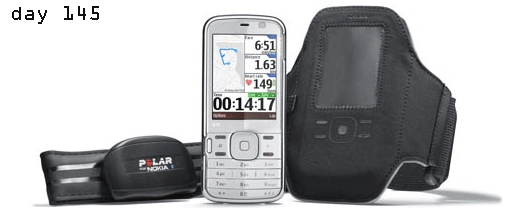
part II: actually, it wasn’t delivered in a box, but all the parts were there, the n79 device, the heart rate monitor, the armband and the ear plugs. very nice, the device I mean, the n79 is a nice nseries device. in comparison to all the other black ones (not quite my cup of tea), the colour choices of the n79 that come with it are kind of refreshing. you put on the green or the blue back cover and the display color changes with it, neat detail.
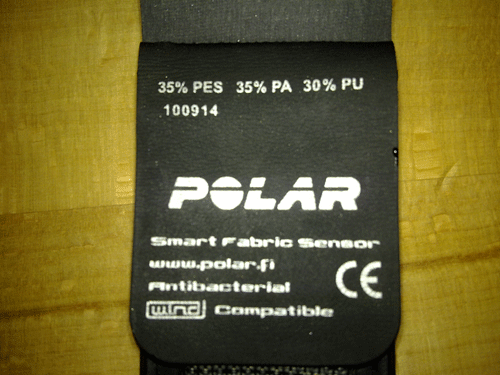
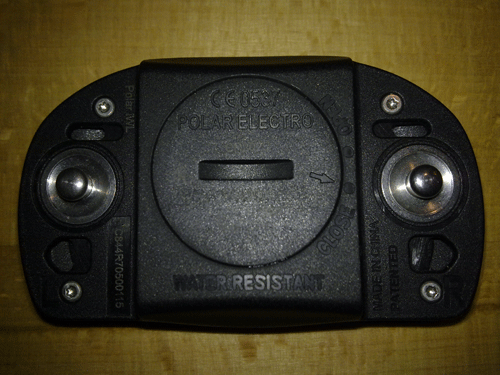
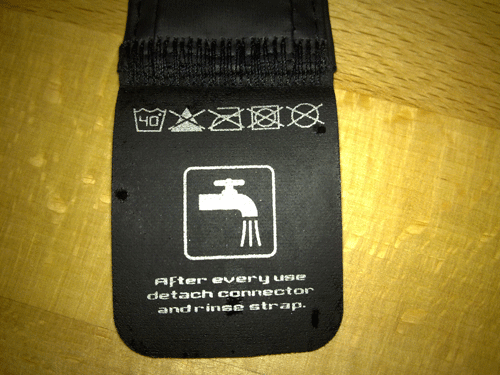
i guess the armband isn’t top of the line - i’ve seen nicer ones for the i-thingy - and the ear plugs most probably have trouble competing sound quality wise with your big sennheiser or bose ones. but they do the trick here. it’s about running, not about locating every instrument in a beethoven symphony. the heart rate monitor belt however is top shelf, no doubt about that. polar quality, solid sensor area, antibacterial fabric for the rest of the strap, the transmitter using a standard bluetooth connection is a standard polar element. it is attached with two push buttons onto this belt, but could also be attached with the older mechanism where the transmitter is combining the two ends of the belt. so if the belt gets lost or breaks, you can get another one or digg out your old one and use the bluetooth transmitter with that one. There’s a standard battery in the transmitter as in all other polar belts, don’t know how long it lasts though. you can’t attach a phone charger or something as assumed on some other blogs.
one good aspect is, this whole sports bundle is applicable to a next mobile device you buy, one, two or three years down the road, because it’s standard bluetooth connection to the belt and the sports tracker application goes on all nokia s60 devices. for now the heart rate belt is only sold in this n79 active bundle. EUR 375 before subsidies and tax.
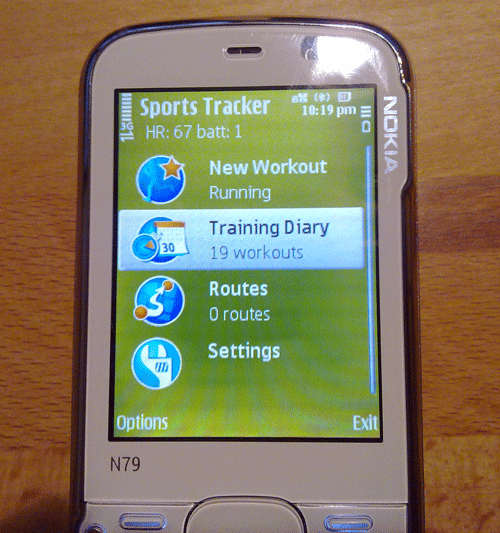
the sports tracker application comes pre-installed on the n79 active. it’s been around for a while as after sales app that everyone can install on a nokia s60 device. that’s also still the case. the latest version is found here on the sports tracker service or here from the nokia research center directly. we earlier had a review of an older version, part I and part II. so let’s focus on the differences to the older versions.
when opening up the sports tracker application the first time, a wizard starts that walks you through the initial connectoin to the belt. workes neatly, it finds the belt almost immediately and pairs it, that’s bluetooth stuff. it’s now connected and you see right away the current heart rate on the top of the basic application display. this bluetooth connection in general is working well and reliably. as soon as the app is on, the connection takes only seconds and is completely automatic. of course you’d expect that, but here is also really works that way.
tomorrow, we’ll take it out for a spin, the review follows in the evening.
part I: the launch yesterday + data fact sheet
part III: nokia n79 active, experiences of the nokia running man
part 3.5: nokia n79 active and polar s625x, becoming a humanoid
part IV: nokia n79 active, out for a test drive
Part V: Nokia N79 Active vs. Polar, Suunto, Garmin, Nike+ and Samsung miCoach
Tags: Nokia N79 Active, out of the box, polar heart rate monitor

January 19th, 2009 at 16:23
This is really interesting.
I was just researching (procrastinating from more important stuff, that is
heart rate monitors. I almost bought a Forerunner 305, but I think I’ll have to save the money and wait for this one. I already own a Nokia phone, and I’ve owned several Polar watches, so this is perfect for me.
I have one question: Does this thing need a computer, or can I upload exercise data via the phone’s wifi connection? I own a Mac, and currently most HRM’s are a pain with Macintosh computers.
And… Please, could you capitalize the first letters of your sentences? Those small letters are painful to read.
January 20th, 2009 at 00:03
Thanks Andreas. Ok, I got this feedback a couple of times now, that capital letters should be used. My assumption that the creative world can do what it wants, was simply incorrect. From now on, we’ll use capital letters as defined by Robert Lowth in his 1762 book, “the Short Introduction to English Grammar”. Well, we’ll use what we learned at school (not that many years back).
Yes, the data is directly uploaded through the Sports Tracker application. It should work through WiFi, but didn’t in the test unit I got. For me it worked only through the cellular network. Hm, that’s ok, if one has a flat rate, but not all have one to date. Not so good. Then, the Sports Tracker Service is accessible through the web browser, so that should work for Macs as well.
January 29th, 2009 at 19:22
Andreas: Wifi is all that is needed to upload tracks to the Sports Tracker website. Simply go to Settings inside of Sports Tracker on the phone and set your default access point to a wifi connection.
March 1st, 2009 at 21:14
Can I sill use the sportstracker application with GPS function disabled? What if I just want to monitor my heartrate during a cardio workout at the gym, is this possible?
March 2nd, 2009 at 13:07
@kath
yes, the sports tracker app works with the GPS disabled or no connection to the satellites and only the connection to the heart rate monitor on. You’ll get the heart rate data displayed, but overall calorie consumption was oddly based on distance run. That should change in future releases though.
July 14th, 2009 at 06:37
Thanks. Do I also need to specifically get the ‘Polar for Nokia’ HRM or does the software work with any Polar heartbelt? Thanks for your help.
July 14th, 2009 at 12:06
@kath
you need the specific Polar for Nokia HRM, since the connection from the belt to the handset is done over Bluetooth, a standard short range radio technology found in mobile phones, headsets, PC’s and nowadays also cars. Any other Polar heart rate monitor belt uses another radio technology not found in mobile phones.
The trouble seems to be that Nokia doesn’t distribute the HRM widely as accessory, neither have I found it from Polar. It’s mainly found in the N79 Active bundle.
March 12th, 2010 at 02:08
Can I read the data directly through Software development kit, because I want to read the data directly by java code
Thanks
March 12th, 2010 at 02:10
I want to but N79 Nokia with software and heart rate belt so that I need to access to the directly real time data of heart rate………. please
Thanks
March 14th, 2010 at 18:18
@Naser,
you seem to over estimate my understanding of the topic. I’m not quite sure whether you can access the raw data from the heart rate monitor belt. As far as I could see you can export the geo data from the Sportstracker app, but not the heart rate data.
Sorry, wasn’t of much help here.
August 10th, 2010 at 10:54
Does this thing need a computer, or can I upload exercise data via the phone’s wifi connection? I own a Mac, and currently most HRM’s are a pain with Macintosh computers.
August 16th, 2010 at 15:10
@clubPenguin
You upload exercise data to the Sports-Tracker service that’s accessible through your web browser on a Mac, PC, Linux or other devices. Now just re-opened the new Sports-Tracker service